# Rootiest NeoVim Configuration
[](https://dotfyle.com/rootiest/rootiest-nvim)
[](https://dotfyle.com/rootiest/rootiest-nvim)
[](https://dotfyle.com/rootiest/rootiest-nvim)
```none
██████╗ ██████╗ ██████╗ ████████╗██╗███████╗███████╗████████╗
██╔══██╗██╔═══██╗██╔═══██╗╚══██╔══╝██║██╔════╝██╔════╝╚══██╔══╝
██████╔╝██║ ██║██║ ██║ ██║ ██║█████╗ ███████╗ ██║
██╔══██╗██║ ██║██║ ██║ ██║ ██║██╔══╝ ╚════██║ ██║
██║ ██║╚██████╔╝╚██████╔╝ ██║ ██║███████╗███████║ ██║
╚═╝ ╚═╝ ╚═════╝ ╚═════╝ ╚═╝ ╚═╝╚══════╝╚══════╝ ╚═╝
███╗ ██╗███████╗ ██████╗ ██╗ ██╗██╗███╗ ███╗
████╗ ██║██╔════╝██╔═══██╗██║ ██║██║████╗ ████║
██╔██╗ ██║█████╗ ██║ ██║██║ ██║██║██╔████╔██║
██║╚██╗██║██╔══╝ ██║ ██║╚██╗ ██╔╝██║██║╚██╔╝██║
██║ ╚████║███████╗╚██████╔╝ ╚████╔╝ ██║██║ ╚═╝ ██║
,l; c,
.:ooool' loo:.
.,oooooooo:. looooc, /VVVVVVVV\++++ /VVVVVVVV\
ll:,loooooool, looooool \VVVVVVVV/++++++\VVVVVVVV/
llll,;ooooooooc. looooooo |VVVVVV|++++++++/VVVVV/'
lllllc,coooooooo; looooooo |VVVVVV|++++++/VVVVV/'
lllllll;,loooooool' looooooo +|VVVVVV|++++/VVVVV/'+
lllllllc .:oooooooo:. looooooo +++|VVVVVV|++/VVVVV/'+++++
lllllllc 'loooooool,:ooooooo +++++|VVVVVV|/VVV___++++++++++
lllllllc ;ooooooooc,cooooo +++|VVVVVVVVVV/##/ +_+_+_+
lllllllc .coooooooo;;looo +|VVVVVVVVV___ +/#_#,#_#,\
lllllllc ,loooooool,:ol |VVVVVVV//##/+/#/+/#/'/#/
'cllllc .:oooooooo;. |VVVVV/'+/#/+/#/+/#/ /#/
.;llc .loooo:. |VVV/'++/#/+/#/ /#/ /#/
,; ;l; 'V/' /##//##//##//###/
```
The rootiest neovim configuration you will ever see!
## Pre-requisites
> Note:
> While NeoVim may run without these prerequisites,
> functionality will be limited.
> For the full experience, it is recommended to install the pre-requisites.
### Required
- [git](https://git-scm.com/) -
Version control system
- [luarocks](https://luarocks.org/) -
Lua package manager
- [Nerd Fonts](https://github.com/ryanoasis/nerd-fonts/) -
Font with extended glyphs
Your terminal/client application **_must_** have a Nerd Font installed
and support the Nerd Font glyphs.
Kitty or NeoVide are recommended.
### Optional
- [ripgrep](https://github.com/BurntSushi/ripgrep) -
A faster grep
- [fzf](https://github.com/junegunn/fzf) -
A command-line fuzzy finder
- [fd](https://github.com/sharkdp/fd) -
A simple, fast and user-friendly alternative to 'find'
- [lazygit](https://github.com/jesseduffield/lazygit) -
A simple terminal UI for git commands
- [kitty](https://sw.kovidgoyal.net/kitty/) -
A fast, feature-rich, GPU based terminal emulator
- [NeoVide](https://neovide.dev/) -
A fast, feature-rich, and modern NeoVim GUI
- [fish](https://fishshell.com/) -
A smart and user-friendly command line shell
## Installation
1. Install [NeoVim](https://github.com/neovim/neovim/blob/master/INSTALL.md) (0.9+)
2. Install Pre-requisites
3. Backup your current nvim configuration (if you have one)
```sh
mv ~/.config/nvim ~/.config/nvim.bak
```
4. Clone the repository
```sh
git clone git@github.com:rootiest/rootiest-nvim ~/.config/nvim
```
5. Enjoy! 🎉
## Keep your current nvim configuration
This will download and open the Rootiest NeoVim configuration
without replacing your current NeoVim configuration.
1. Clone the repository
```sh
git clone git@github.com:rootiest/rootiest-nvim ~/.config/rootiest/rootiest-nvim
```
2. Open Neovim with this config:
```sh
NVIM_APPNAME=rootiest/rootiest-nvim/ nvim
```
3. Enjoy! 🎉
4. Fall in love and see [Installation](#installation)
## Features
- Comfortable keybindings and IDE-like features
- Designed to be quick to load and easy to use without compromising on features
- Leans heavily on lazy and luarocks for plugin management and lazy-loading
- Catppuccin theme is default but a selection of others are also included
- Automatic light/dark mode switching based on system theme
- Extensive special configurations for kitty, including theme matching
- Kitty scrollback and keybinding support
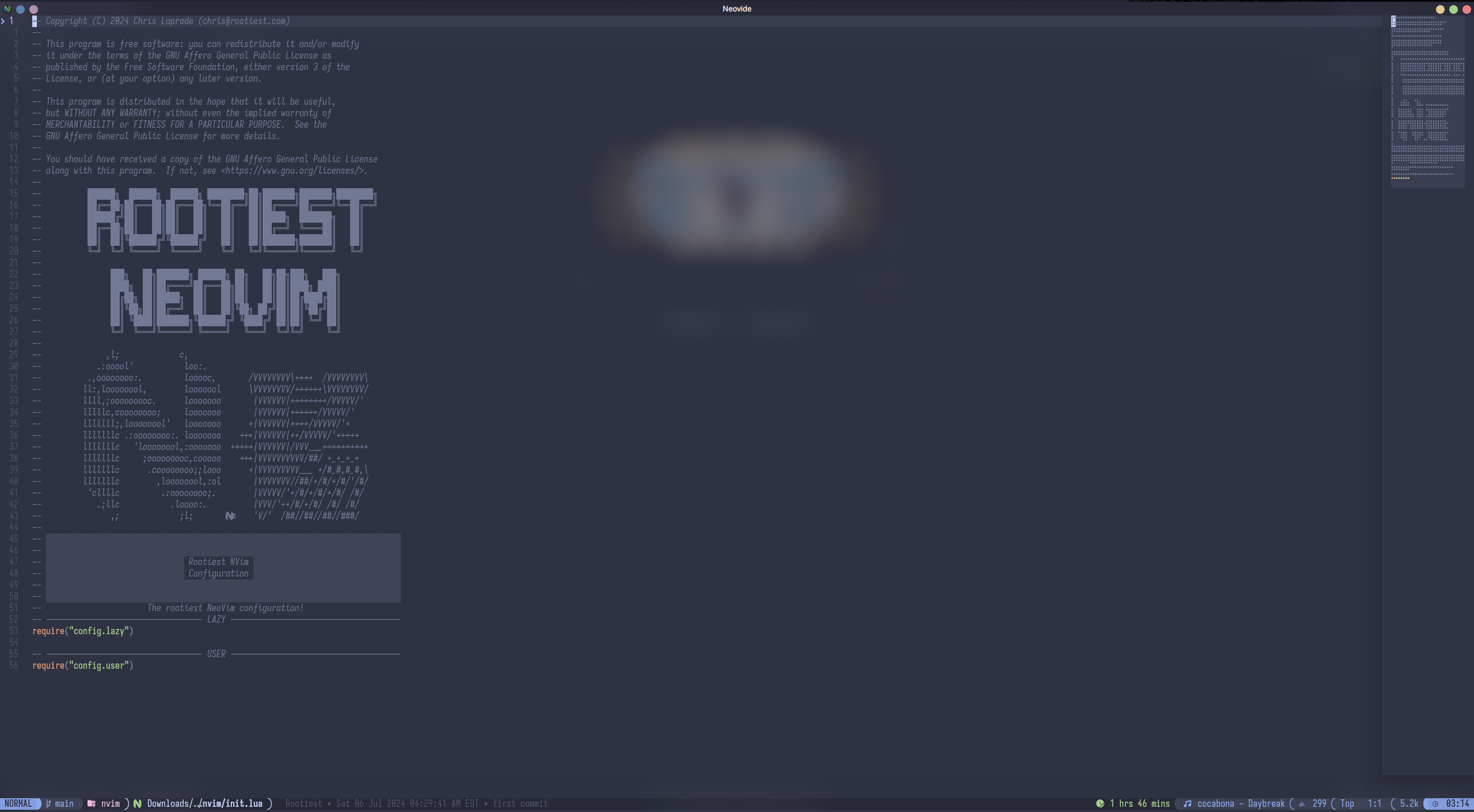
- Special configuration for neovide
- Detects terminal client and adjusts accordingly
- ToggleTerm, fzf-lua, neotree, etc. for quick access to files and terminal
- Many UI elements to enhance the experience
- LSP support for many languages and automatic setup for many more
- Remotely spawn a NeoVim instance over ssh, in a container, or from a git repo
- Dashboard logo adjusts to the size of the window
- Beautiful, unique, and feature-rich lualine statusline
- When available, git-blame, WakaTime and music player stats components displayed
in lualine 
- Warning system for missing dependencies
- User-selected AI completion tool:
`codeium`, `copilot`, `tabnine`, `minuet`, or `none`
- WakaTime integration: Tracking time spent on code
- Hardtime integration: Trains better use of vim motions and shortcuts
- Colorscheme is remembered between sessions with [astral.nvim](https://github.com/rootiest/astral.nvim)
- Highlight group customizations that are colorscheme-compliant
- Lean and fast while providing a complete professional experience
- Achieves sub-75ms startup time on my personal laptop, goal to never exceed 100ms
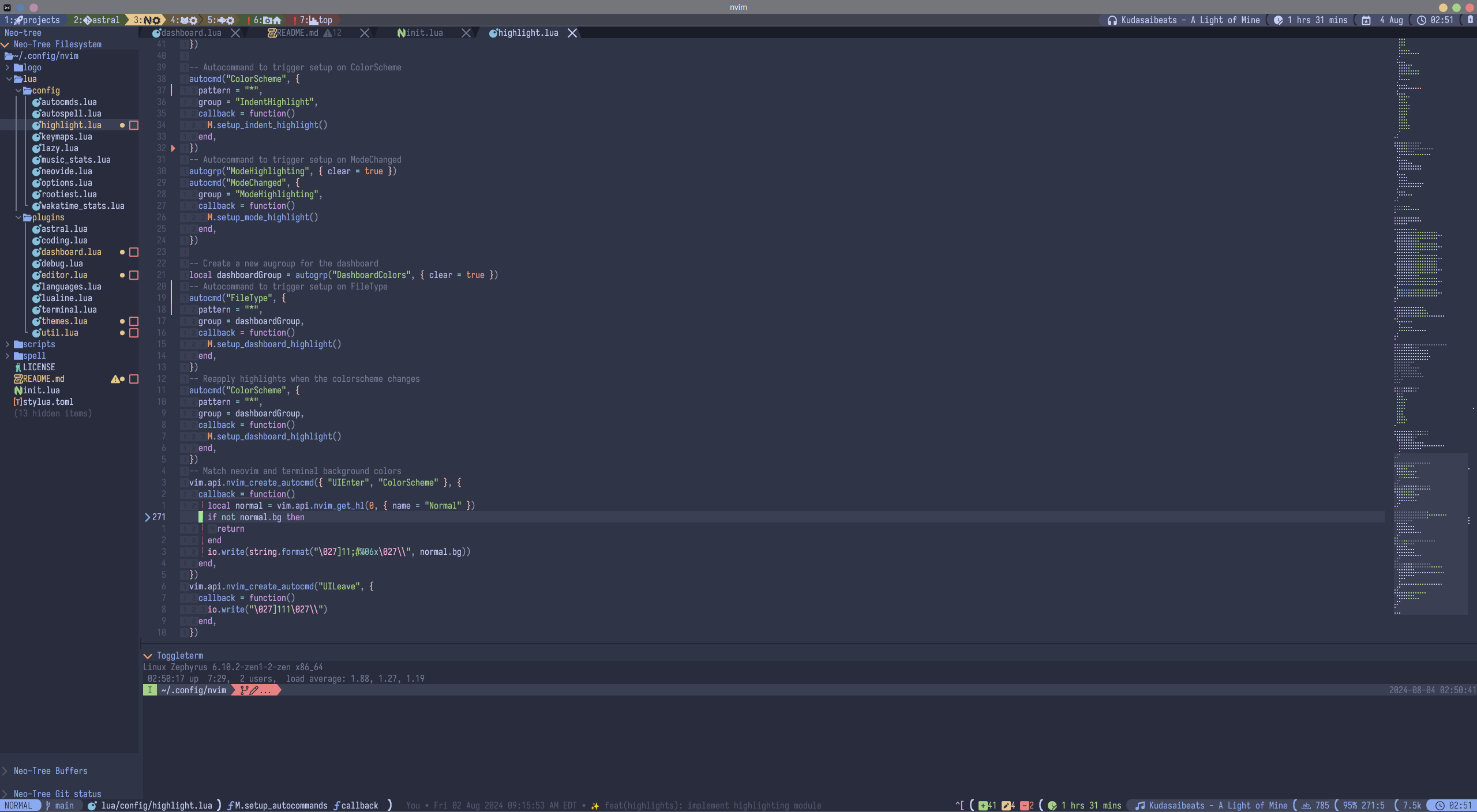
## Screenshots
Features and
Main NeoVim PDE
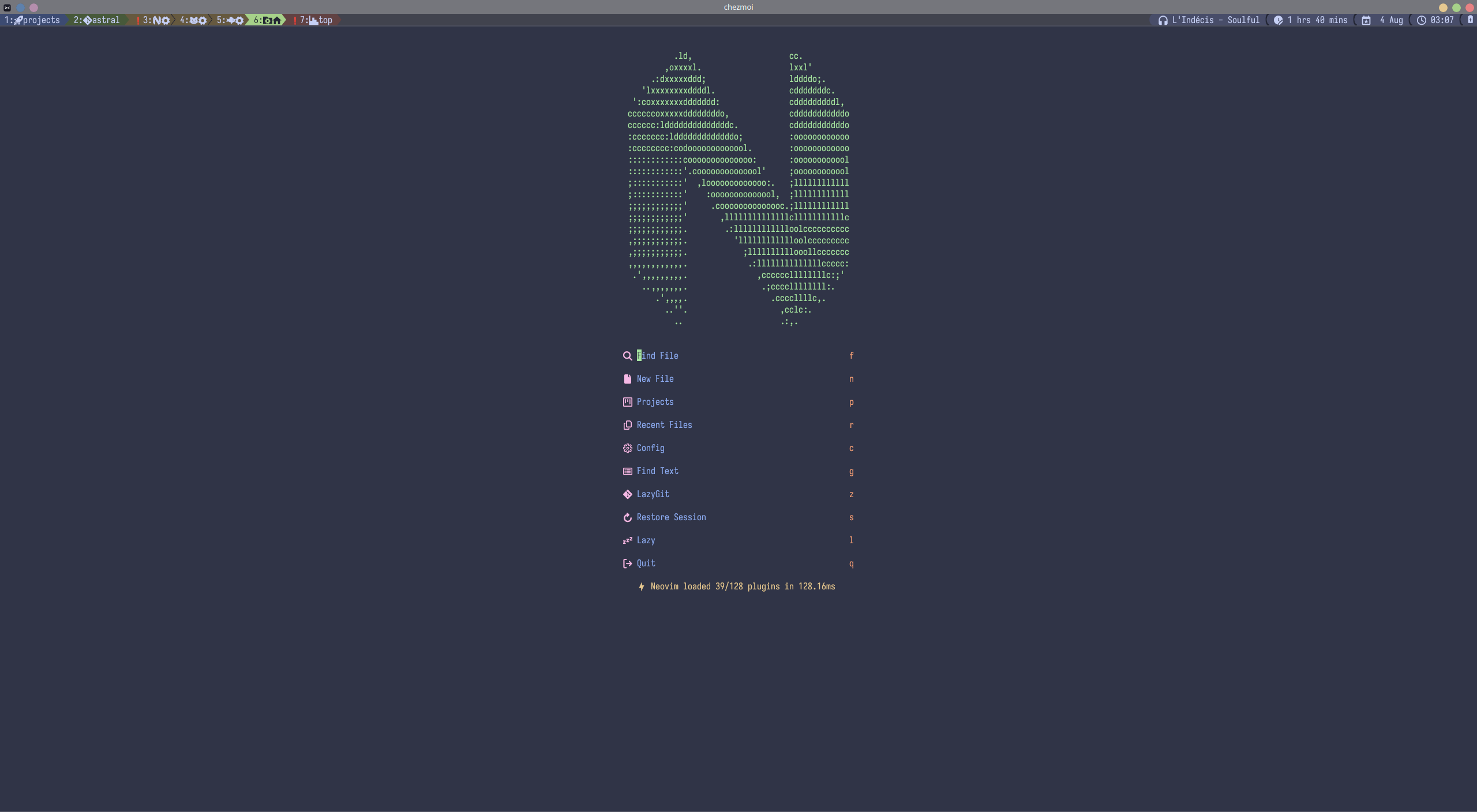
Dashboard
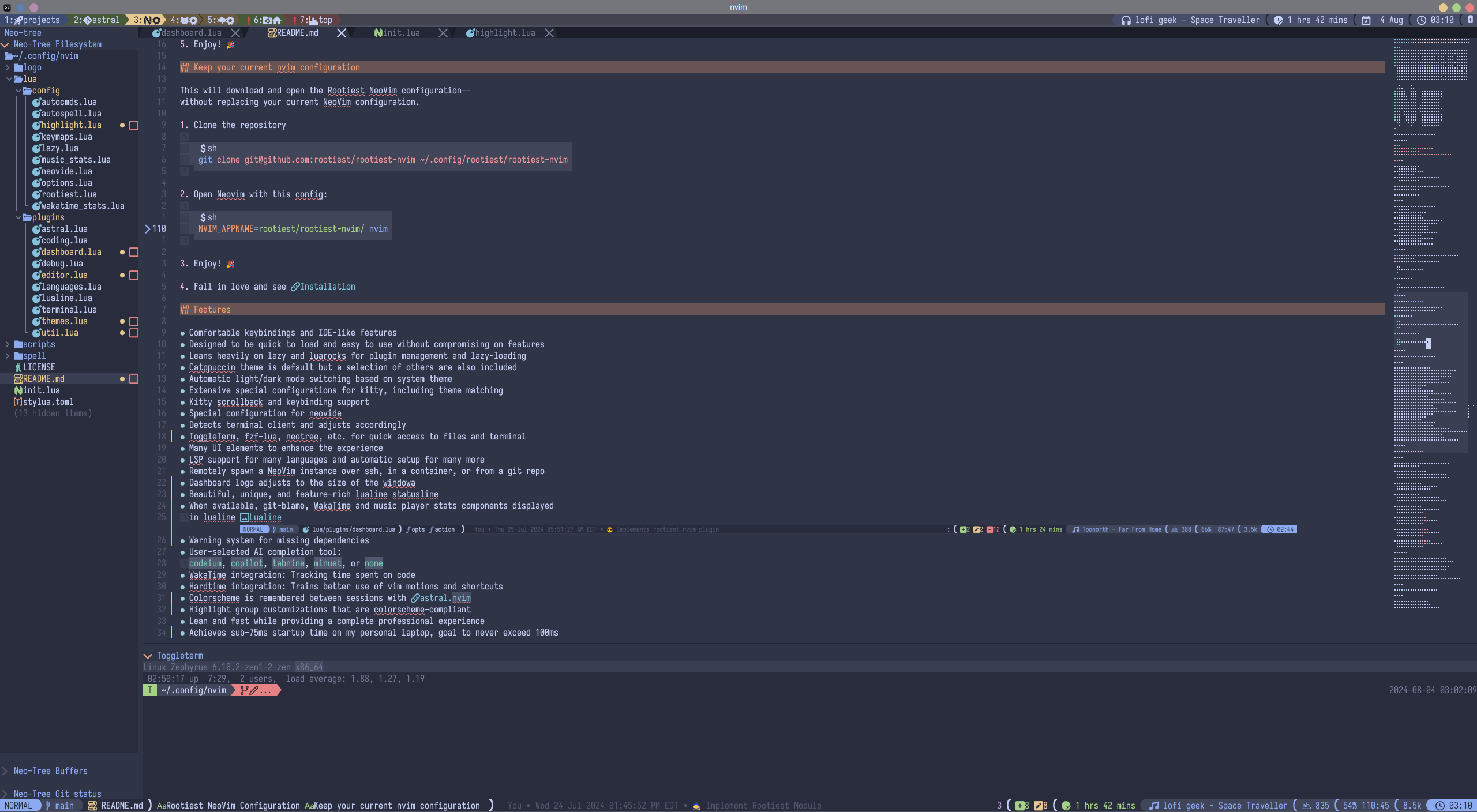
Markdown view with inline images
Neovide Transparency
## Options
Options are configured in the `config/options.lua` file under the `ROOTIEST` header.
The default values are:
```lua
-- ━━━━━━━━━━━━━━━━━━━━━━━━━━━━━━ ROOTIEST ━━━━━━━━━━━━━━━━━━━━━━━━━━━━━━━
vim.g.aitool = "codeium" --Options: codeium, copilot, tabnine, minuet, none
vim.g.usewakatime = true --Options: true, false
vim.g.usehardtime = false --Options: true, false
vim.g.useimage = true --Options: true, false
```
## Companion Tools
[Rootiest Kitty Conf](https://github.com/rootiest/rootiest-kitty) -
A kitty configuration that is designed to work with this NeoVim configuration
[Rootiest Fish Conf](https://github.com/rootiest/rootiest-fish-conf) -
A fish configuration that pairs well with this NeoVim configuration
[Nerd Fonts](https://github.com/ryanoasis/nerd-fonts/) -
A collection of fonts that includes many icons and glyphs used in this configuration.
## Dotfiles
[Rootiest Dotfiles](https://github.com/rootiest/dotfiles)
## Credits
- [Folke Lamaitre](https://github.com/folke)
- [LazyVim](https://github.com/LazyVim/LazyVim)
- [Elijah Manor](https://github.com/elijahmanor/elijahmanor)